

Plan Transfer Instructions

LivePlan's Company Transfer Feature
If you were previously working in another account through an organization, business partner, or even an older account of yours, you may want to transfer plans from one account to another. There is a new feature in LivePlan that will allow you to initiate plan transfers from within your account without the assistance of our customer support team.
To use this transfer process, the following requirements must be met:
- You are the account owner with an active LivePlan account.
- The recipient has a paid LivePlan account.
- The recipient is a contributor or guest in your account.
- The recipient’s paid LivePlan account email must be the same email you used to add them as a contributor.
In-App Company Transfer Instructions
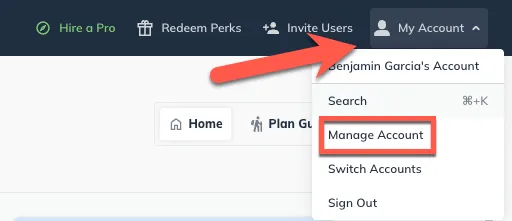
Click on the profile icon in the lower left corner of your LivePlan account and select Manage Account.
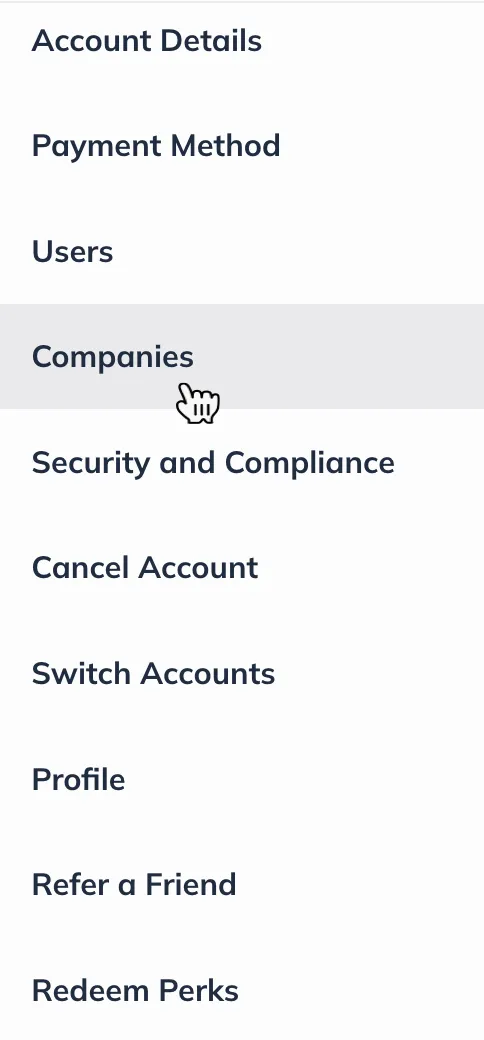
In the Manage Account menu, select Companies
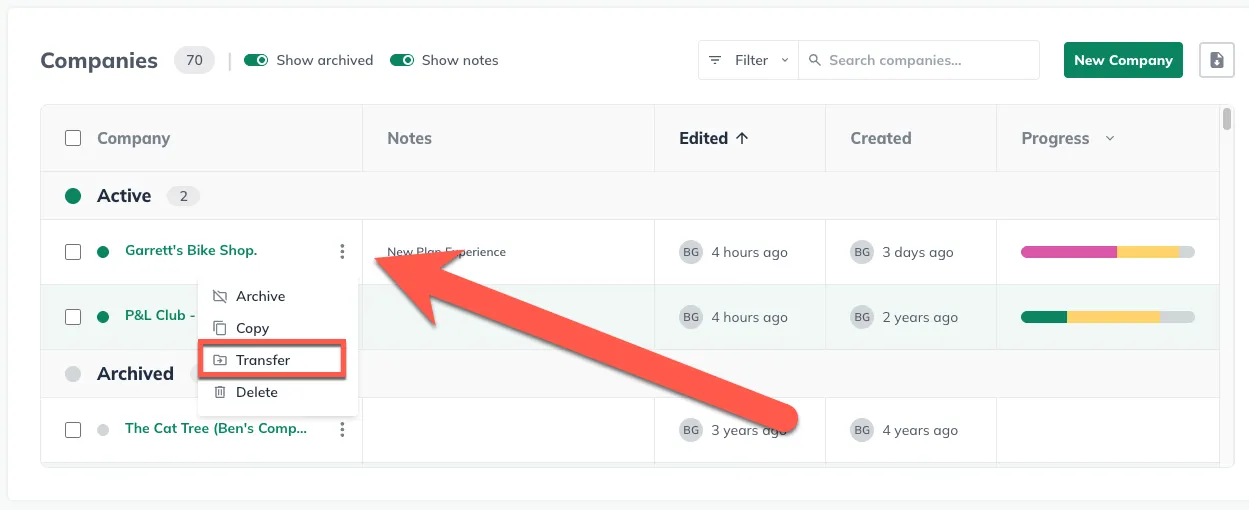
When you're looking at your company management page - you'll see a Transfer Company option:
Click Transfer Company and you'll see this screen which will have a drop down menu to select which contributor you want to transfer it to:
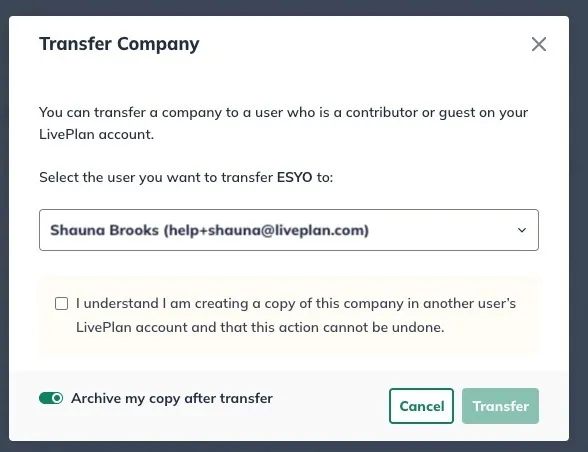
Click Transfer and then you'll see a confirmation message:

Troubleshooting and FAQs
If you have questions about LivePlan, you can always get help from our Customer Advocacy Team. They're happy to answer any questions you have via email or live chat and provide support tailored to your specific needs.
What if the recipient’s paid account email doesn’t match their contributor email?
You can enable the transfer ability by making the recipient a contributor or guest in your account using their paid account email: Adding and removing contributors and guests
If the recipient is not a contributor or guest in your LivePlan account and you’re having difficulty adding them, please reach out to help@liveplan.com for assistance with initiating a transfer.
Can I still transfer the plan if my account is cancelled?
To use the plan transfer feature, your account must be active. If you need to transfer a plan from a cancelled account, please reach out to our Customer Advocacy Team, who will provide instructions on how to move forward.
For security purposes, for manual transfers, we need written permission from each account owner to do so. Once each account owner provides us with permission from within their LivePlan account, we can help you complete the transfer.