

Entering direct labor employees
Direct labor employees are those whose salaries are directly related to your revenue. A good example is a restaurant server - his wages are part of the cost of bringing a restaurant's product to its customers.
Because direct labor is so closely tied to revenue, LivePlan offers a number of different ways to calculate a direct labor salary. Use the links above to jump to a specific option.
Adding direct labor employees
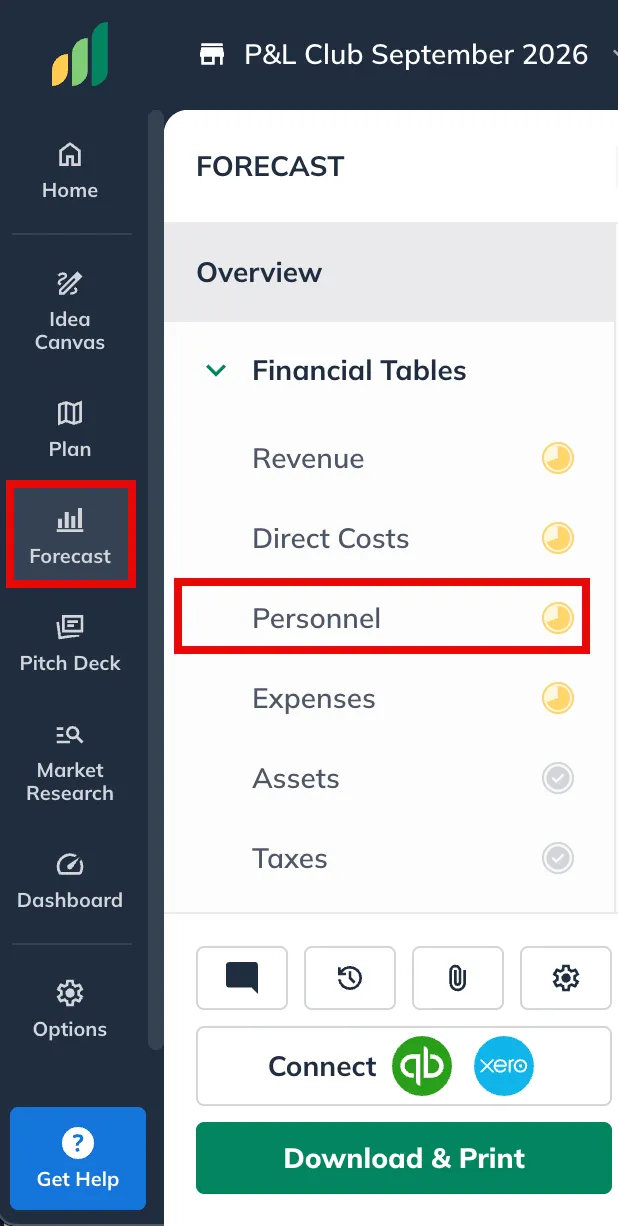
Click on the Forecast tab, then choose Personnel:
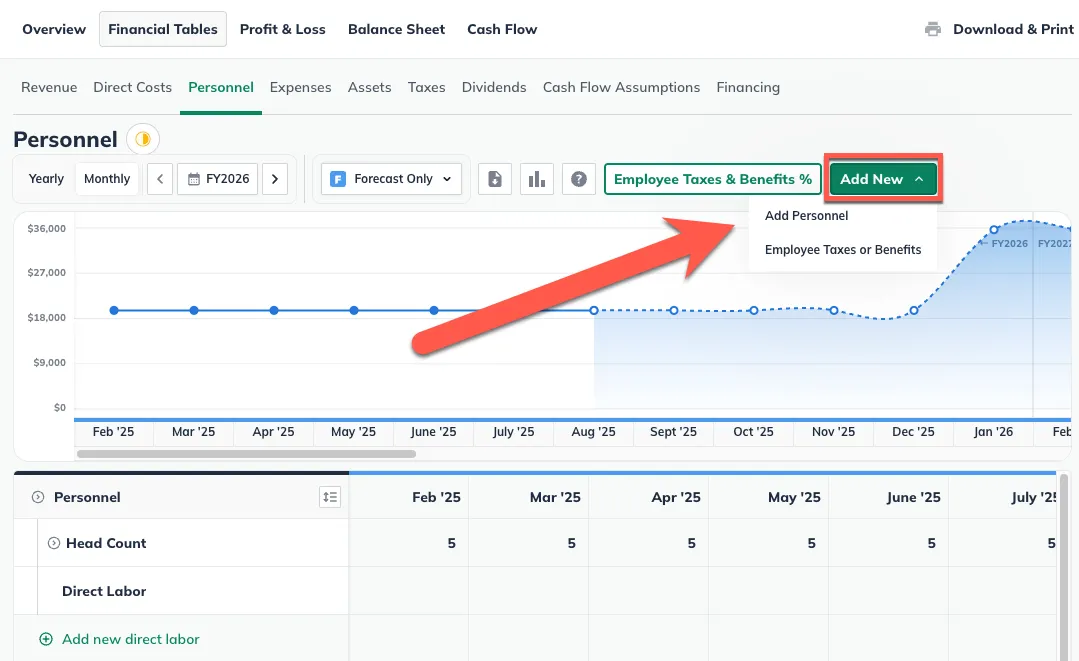
Click the Add New button and select Add Personnel:
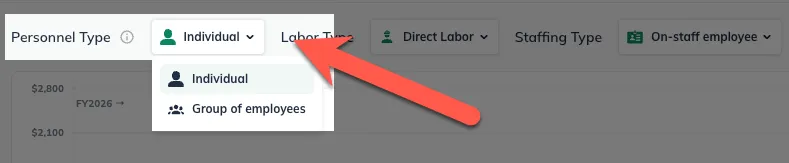
Enter a name for the personnel entry and select whether you're adding an individual employee or a group of employees:
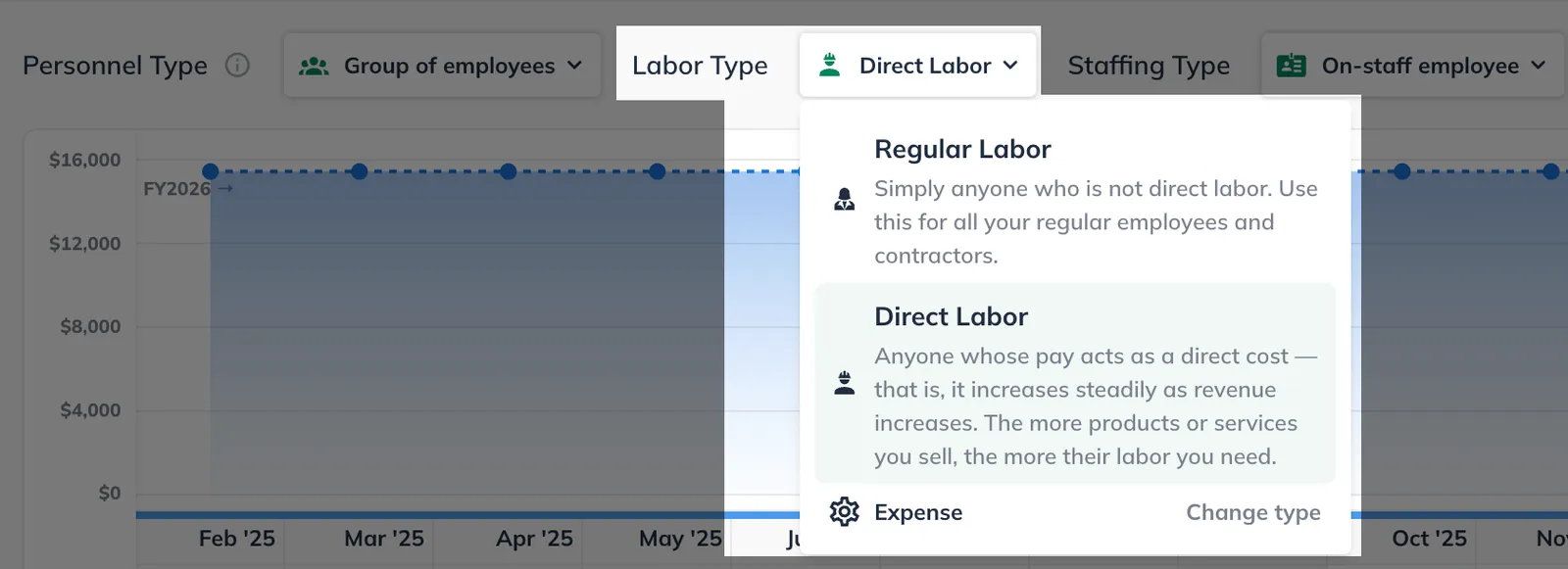
Choose Direct labor:
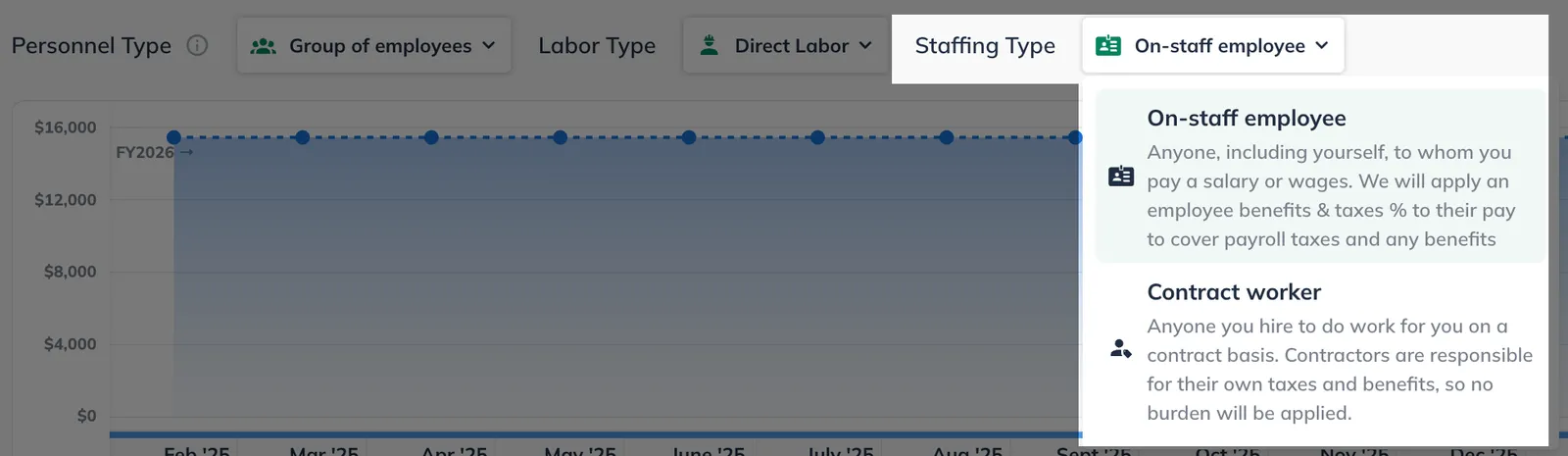
Indicate whether the employee is on-staff or contract:
Using a constant amount salary
Under How do you want to enter their salaries, choose Constant amount:
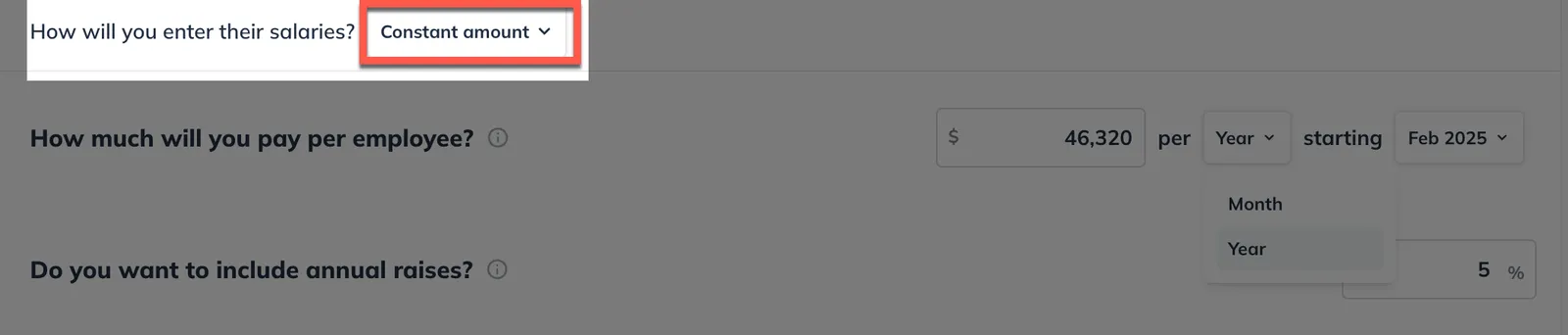
Indicate how much you will pay them (per month or per year), when they will start, and whether you want to include raises for them in the forecast:
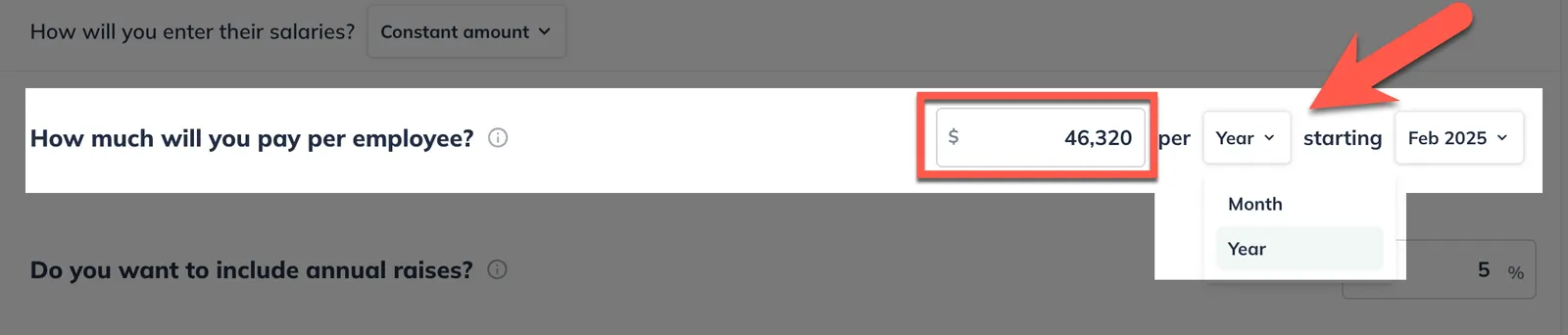
Click Create & Exit:

Using a varying amount salary
Under How do you want to enter their salaries, choose Varying amounts over time.
Enter the amount you'll be paying each month and the overall amount for the upcoming fiscal years:
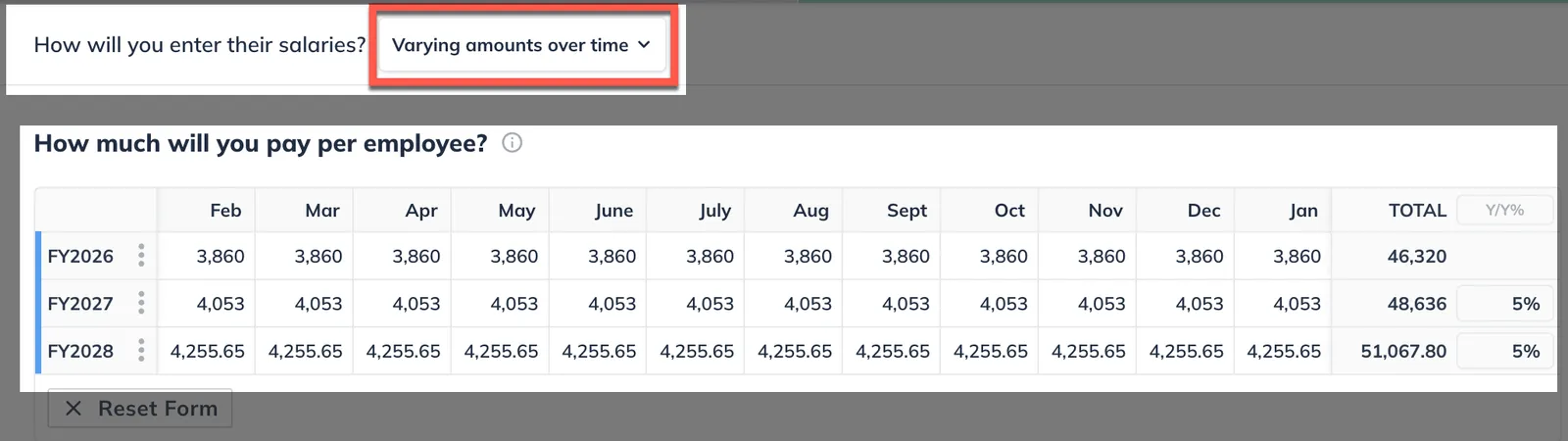
Click Create & Exit:
Calculating salary as a % of overall revenue
Under How do you want to enter their salaries, choose % of overall revenue:
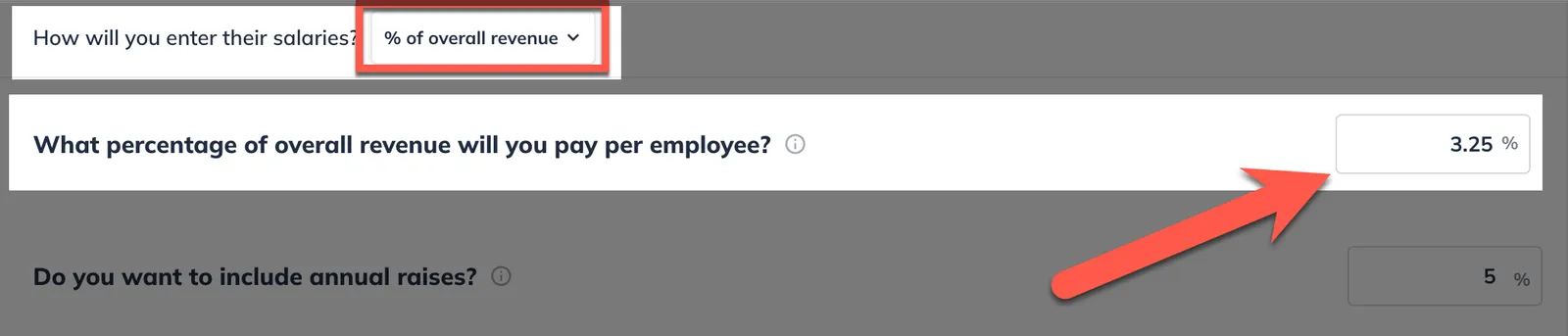
Click Create & Exit:
Calculating salary as a % of a specific revenue stream
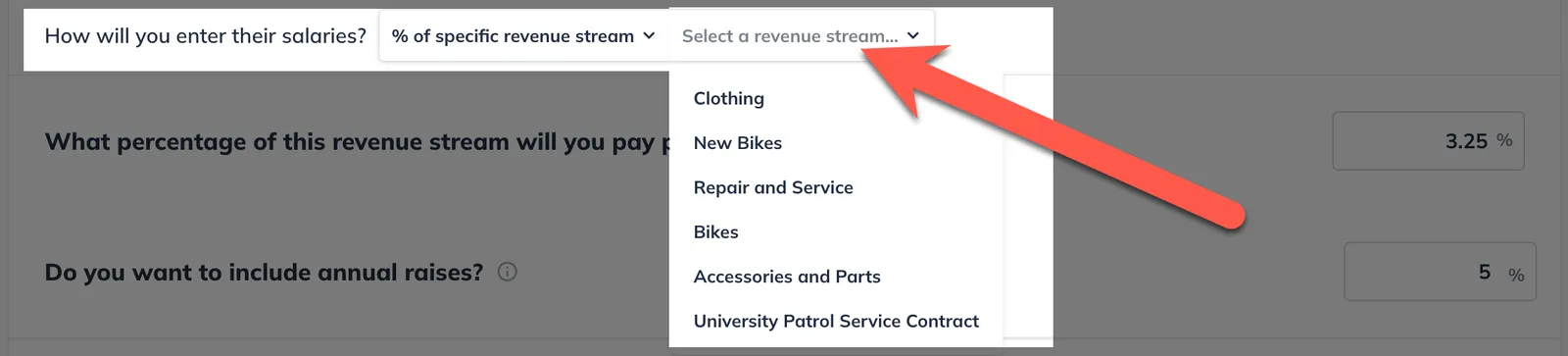
Under How do you want to enter their salaries, choose % of a specific revenue stream:\
Choose the revenue stream from which to calculate this salary:
Enter the percentage of the revenue stream and when the employees will start:
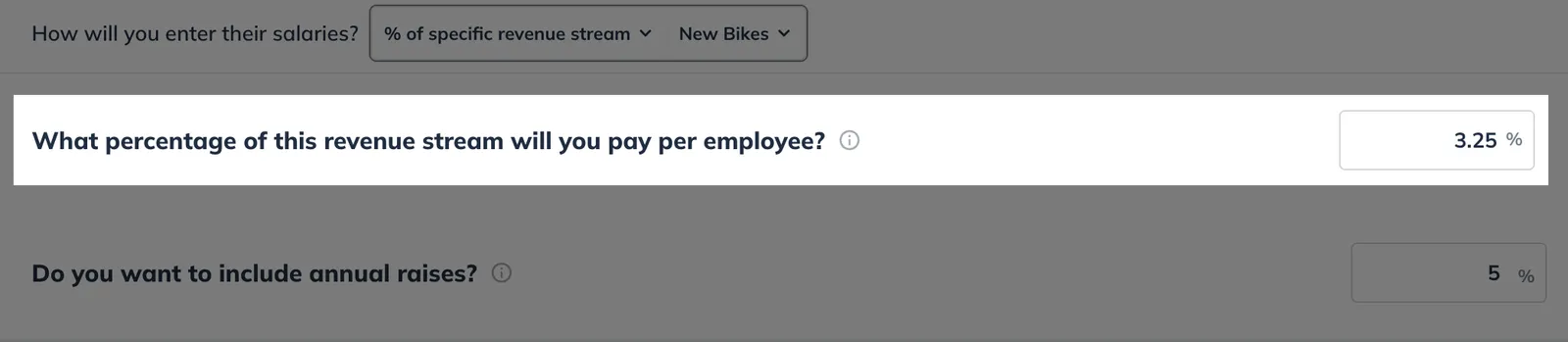
Click Create & Exit:
For more info:
- What is the difference between direct labor and regular labor?
- Entering regular labor employees
- Changing the Burden Rate for employee-related expenses
- Understanding head count details for personnel
- How can I represent part-time personnel in my forecast?
- Entering commission payments in LivePlan
- How do I locate my salaries and wages in the Profit and Loss?
- How do I edit or delete forecast entries?
- Preparing a forecast