

Changing your LivePlan subscription plan
Switching from monthly to annual
Our annual subscription provides substantial savings by paying for 12 months instead of monthly—a discount you'll access by paying for the year in one payment.
If you have a monthly subscription to LivePlan and want to change it to an annual one, you can do that easily from within the app.
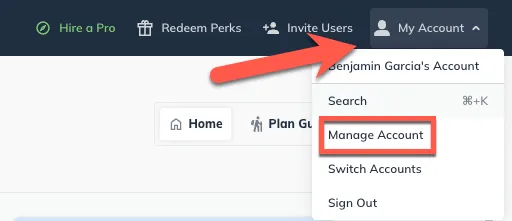
Click on the Account menu, choose Manage Account:
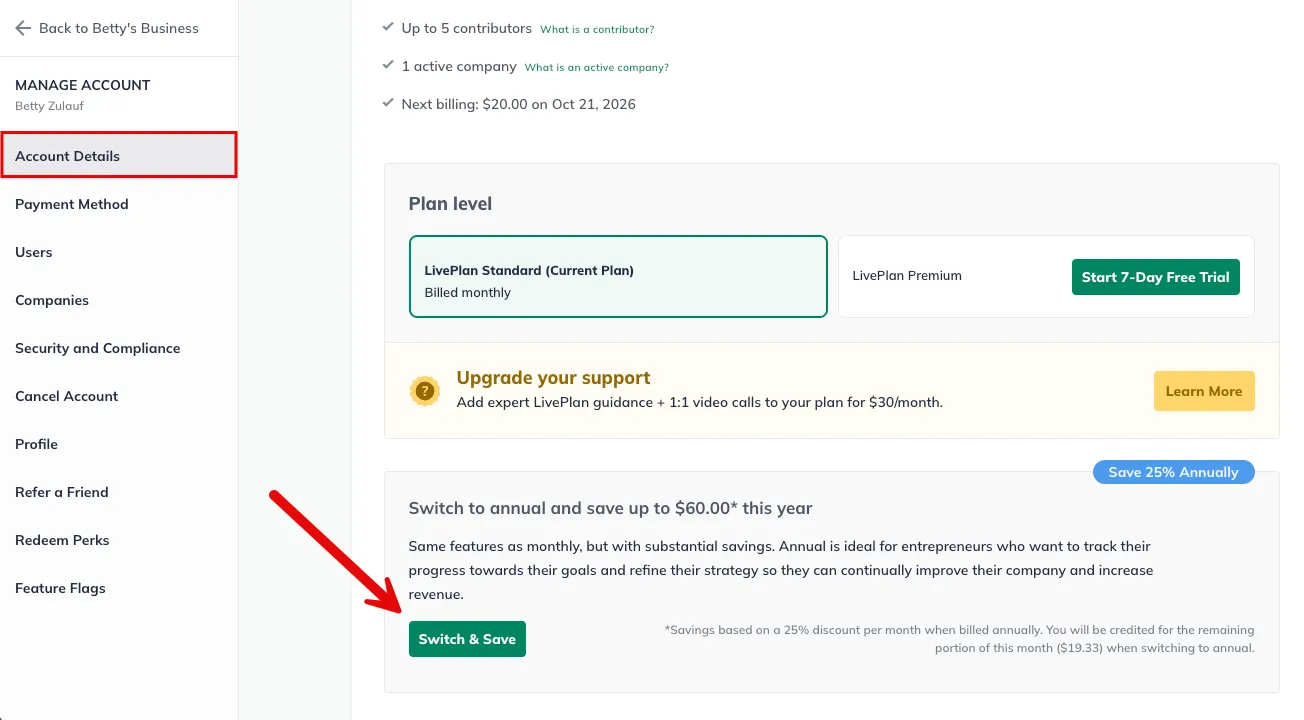
You'll land on the Account Details page, where you'll see this display. Click Switch & Save:
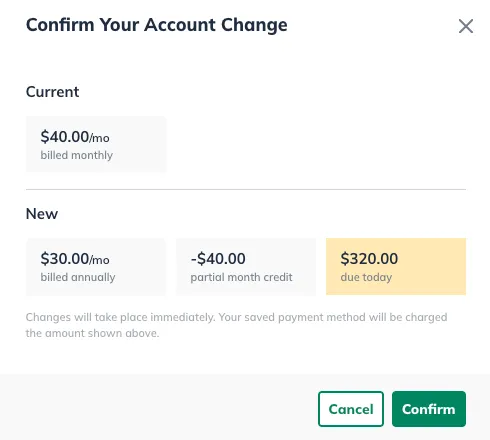
The next overlay confirms what you will be charged in order to begin the annual subscription. Click Confirm to process the charge and update your subscription plan:
To exit the account management page, click the back arrow at the upper-left corner of your LivePlan window.

Switching from annual to monthly
If you have an annual subscription and want to change that to a monthly one, our Customer Advocate team is happy to help any time. Please contact us to request the change.