

Pausing your LivePlan account
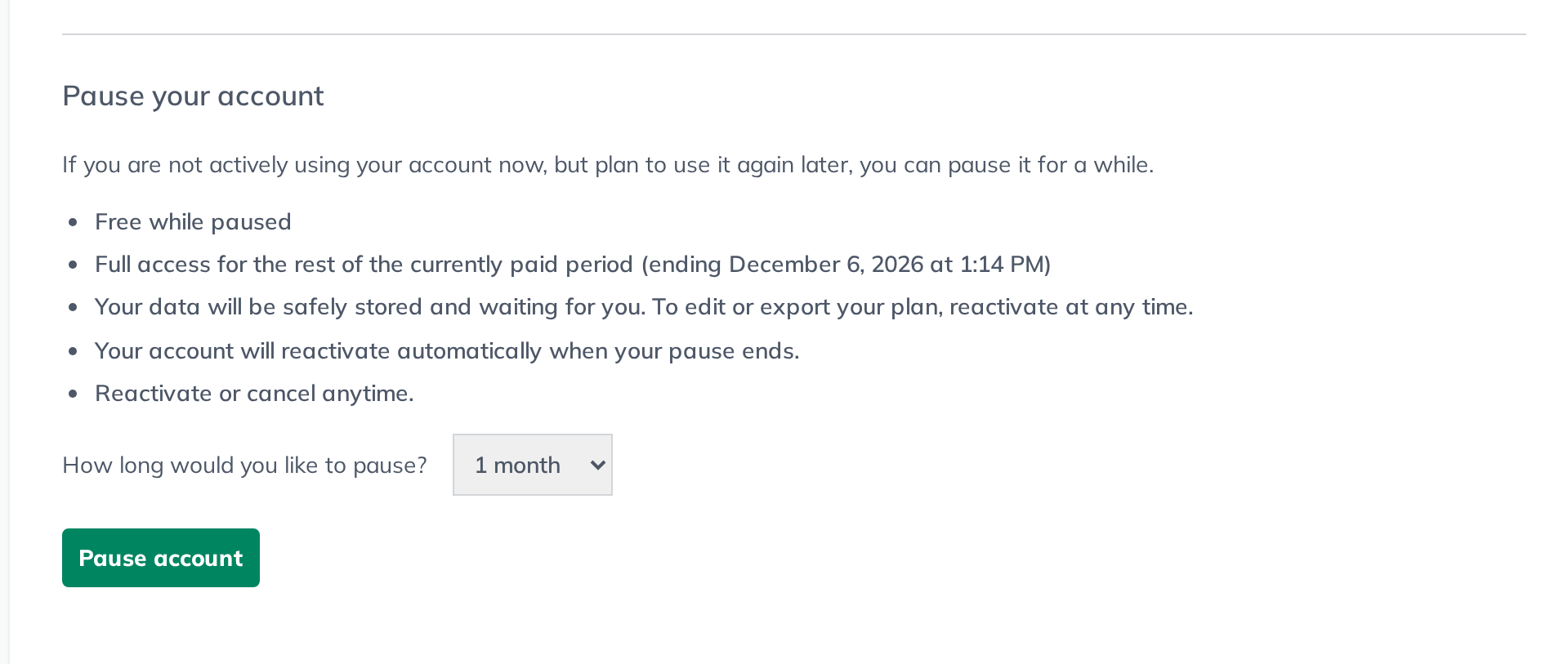
If you have an eligible monthly LivePlan subscription, and you're done working on your plan for a short time, we recommend pausing your account. While your account is paused, you choose how long to pause it, and you can reactivate it anytime. You can also download your plan anytime while your account is on hold.
Annual subscribers never need to pause an account
If you have an annual subscription and need to take a hiatus from working on your plan, there's no need to pause your account. If you choose not to renew your subscription, your companies will remain backed up on our servers until you need to reactivate.
If you currently have a monthly subscription, you may find that updating your account to an annual one saves you money and gives you the flexibility to take breaks from planning. Please contact us for more details on changing your subscription plan.
To pause your account:
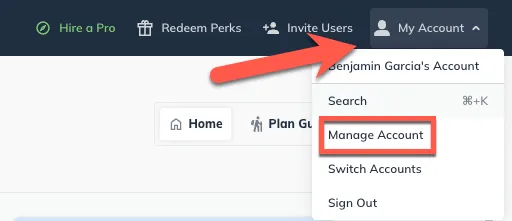
From the Account menu, choose Manage Account:
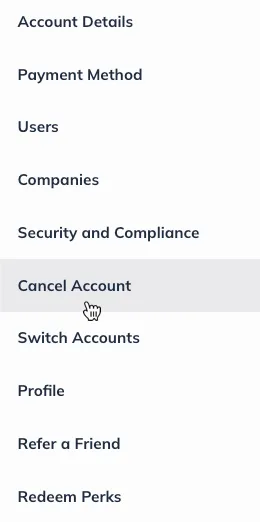
In the sidebar of the account management page, click Cancel Account:
Click Pause:
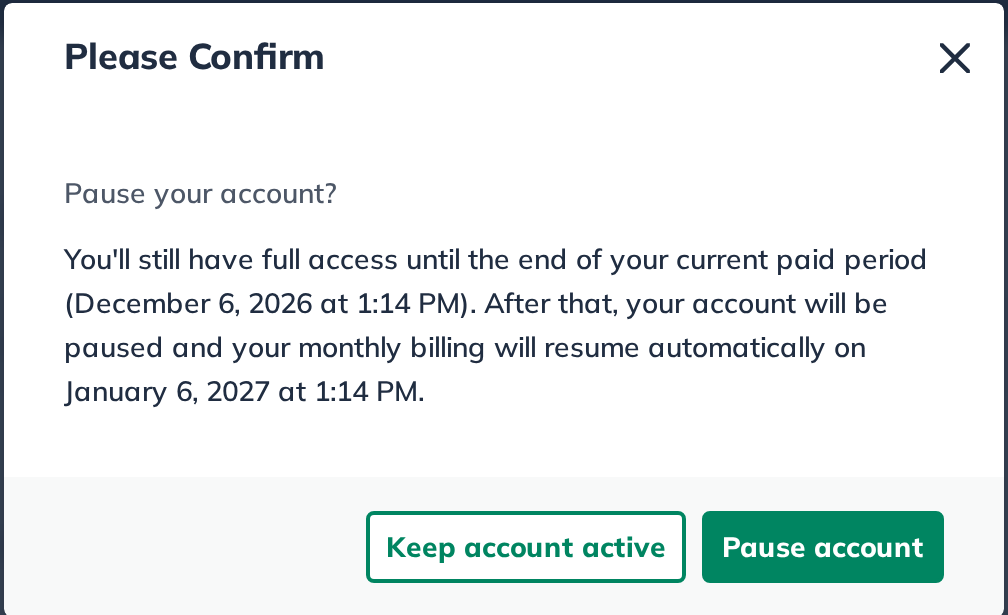
In the overlay that appears, click Pause:
To exit the account management page, on the back arrow in the upper-left corner:

Your account will remain active until the pause begins. After that, your account will be paused for the duration you selected.
You can reactivate your account or cancel it with no consequences during the rest of your current paid period.