Signing out of your LivePlan account
It isn't necessary to manually sign out of LivePlan. You will automatically be signed out whenever you close your browser tab or session. All of your data will be saved and will remain stored online, ready for your next session. Anyone accessing LivePlan from the same browser or machine will be presented with the sign-in screen.
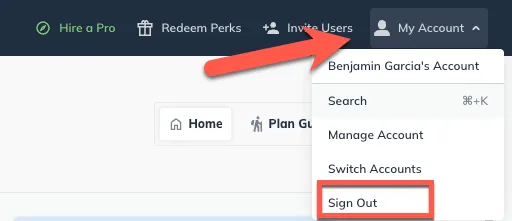
Click on the Account menu in the top-right corner of your LivePlan window:

Select Sign Out from the drop-down menu: