

Adding more detail to the Profit and Loss statement
By default, LivePlan compiles all the forecast details you've entered and compiles them to totals for display in the Profit & Loss statement. This format is typically preferred by lenders and investors. However, there may be instances where you need to present a plan document that includes more detailed information.
If you'd like to show more forecast detail in your plan, add an Appendix chapter before downloading it. This chapter can include any or all of the following statements:
- A Profit & Loss with monthly detail that can also include itemized lists of the following:
- A Balance Sheet with monthly detail.
- A Cash Flow Statement with monthly detail.
Adding an Appendix to the plan
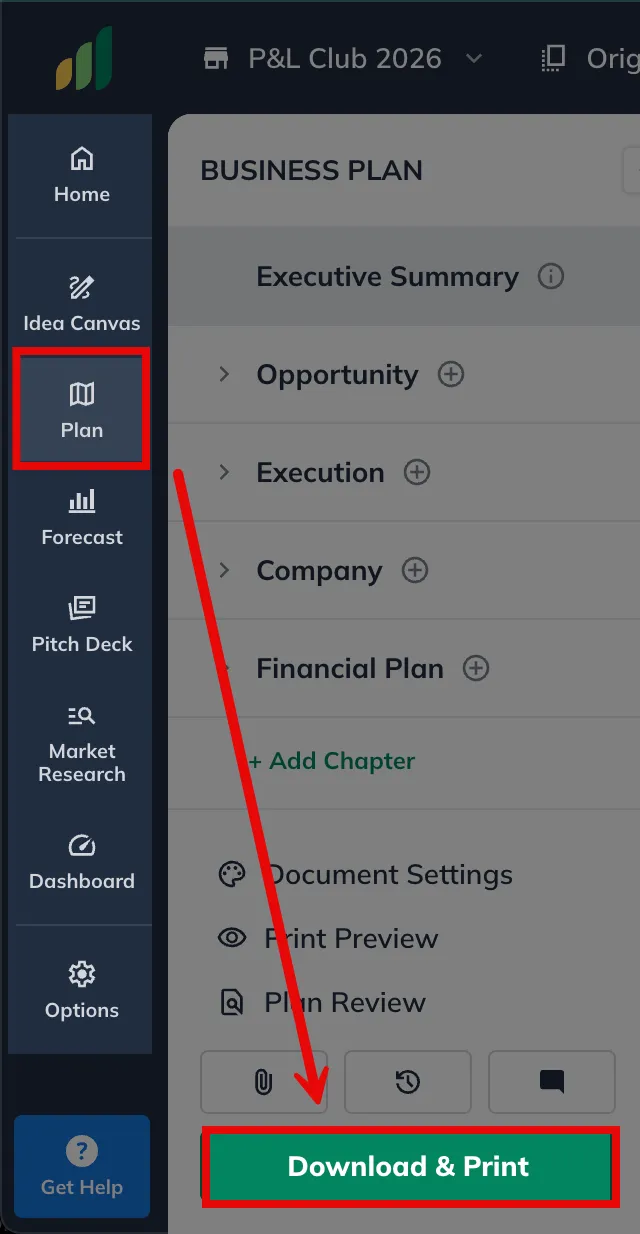
In the Plan section, click the Download & Print icon:
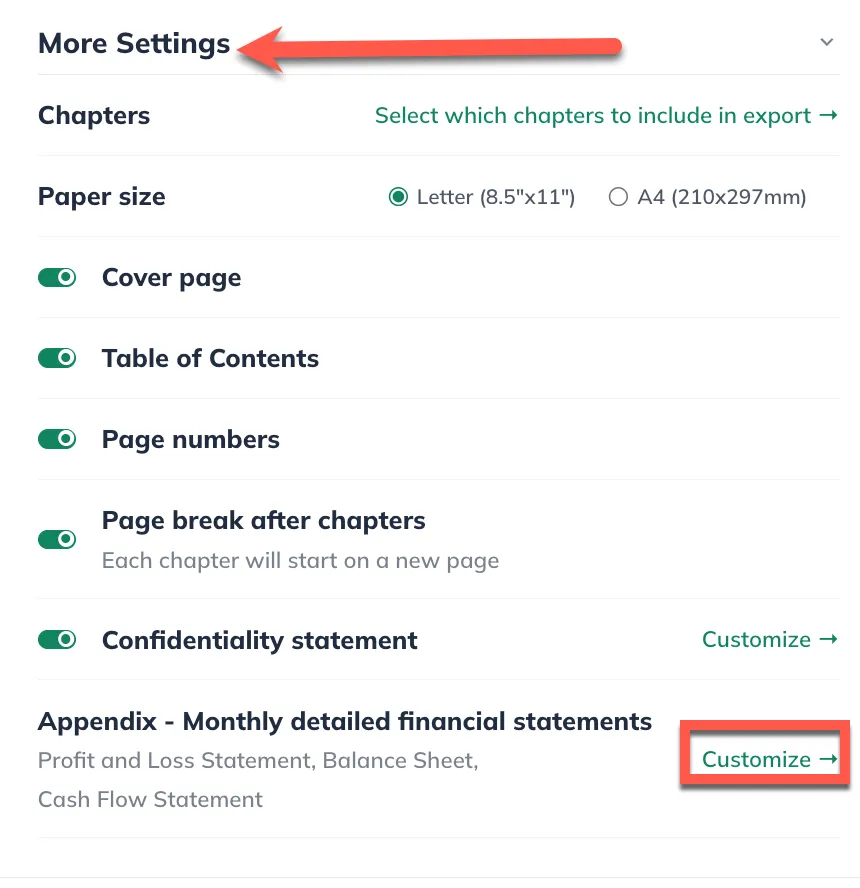
After the Document Settings menu slides out, scroll down to More Settings and click on Customize next to the Appendix option:
In the overlay that appears, toggle or un-toggle the buttons for any details you'd like to add to your Profit & Loss:
Click Save & Close:

Differences in revenue details
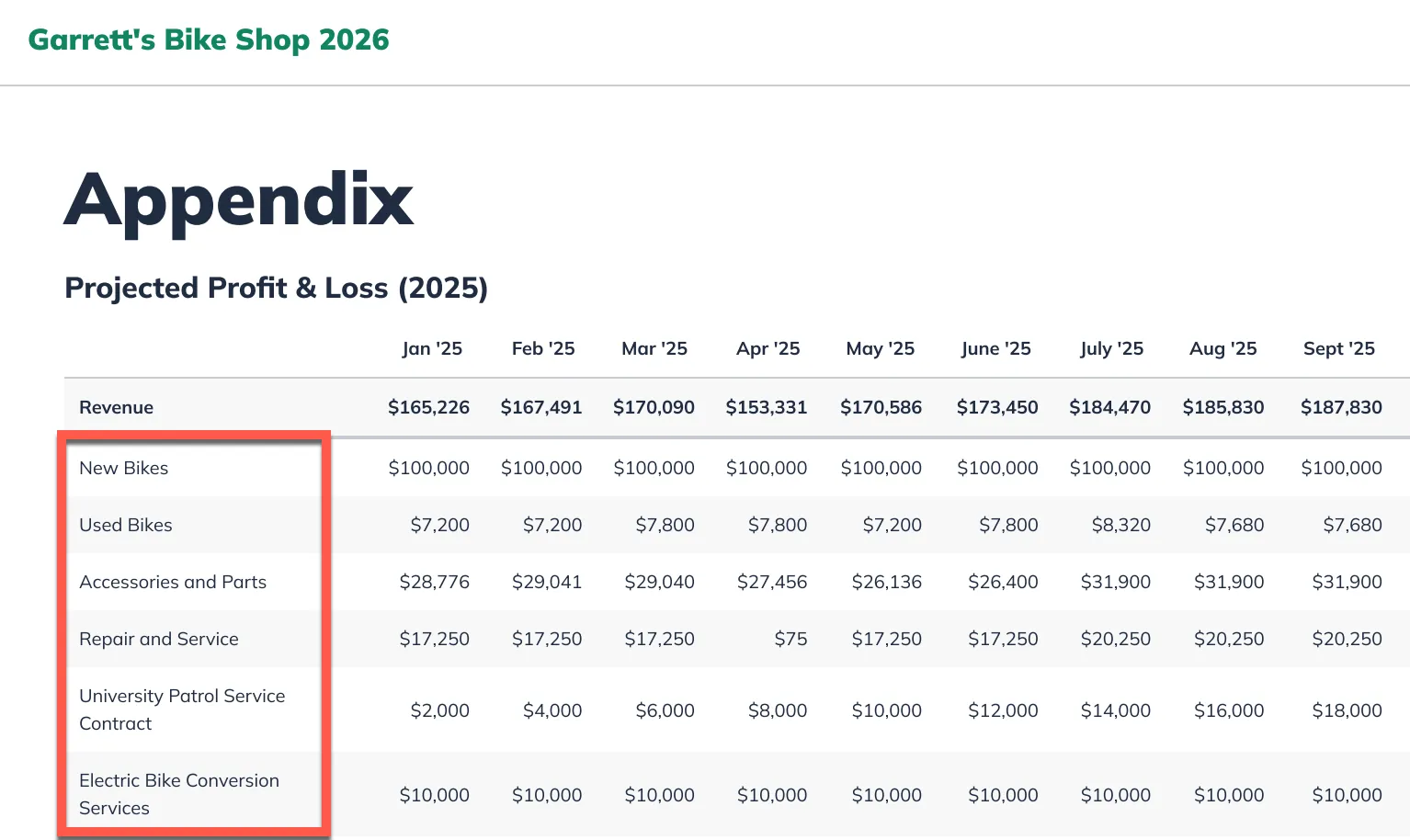
If you check the box for Show individual revenue streams:
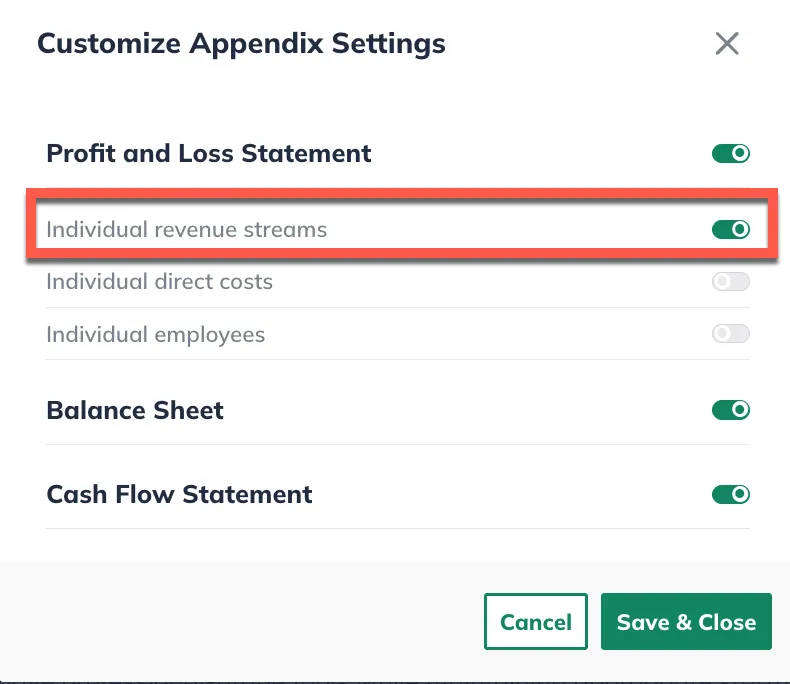
...You'll see an itemized list of your revenue sources in the downloaded plan, as shown below:
Finding your new Appendix chapter
The Appendix will be included as the final section of your plan if it is part of the plan export. Although you won't see it in the plan outline while editing, it will be added to your document when you download or print it.
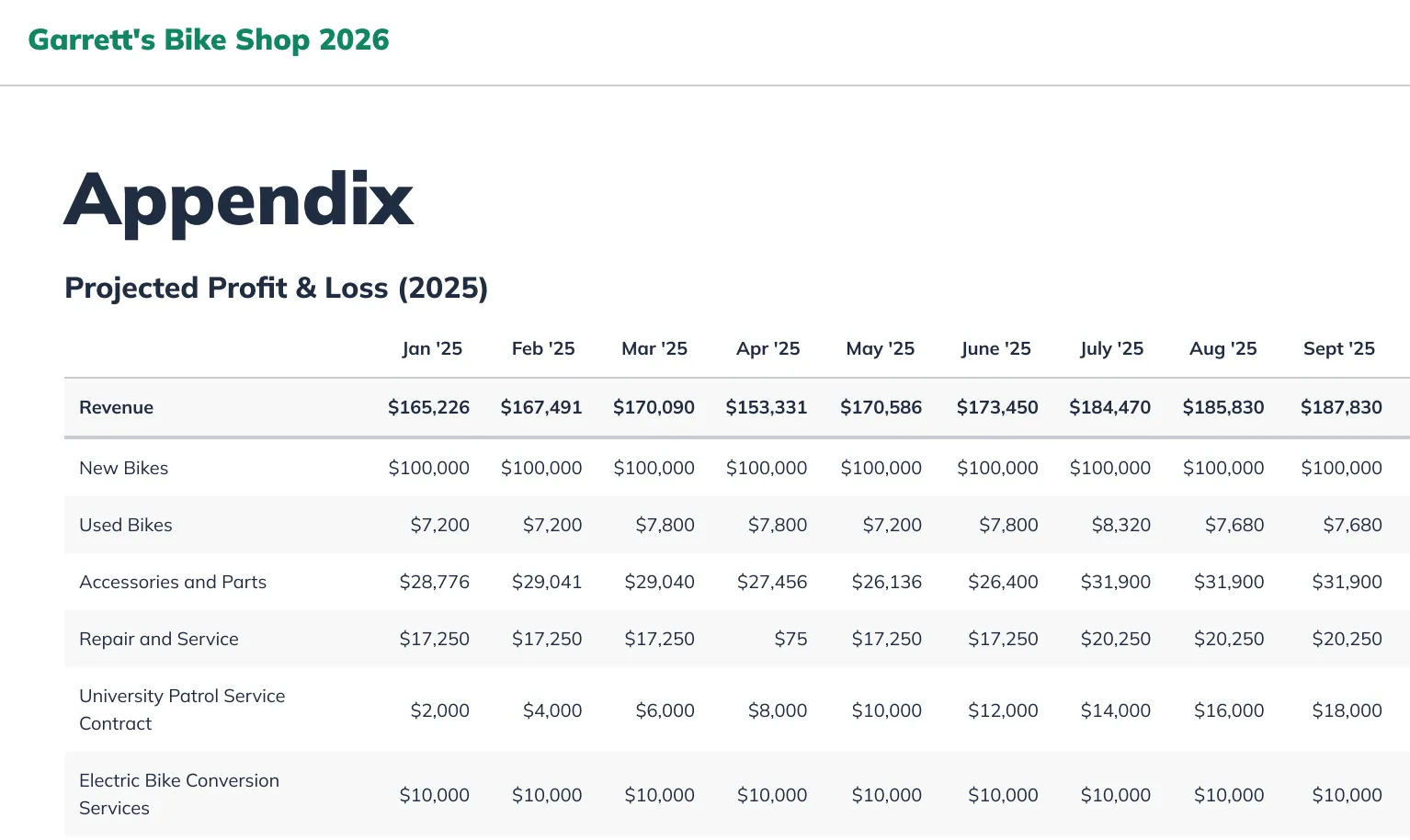
All the data used to create this statement is still visible in your entries in the Forecast section. So if you're interested in sharing these details with someone online, you can always issue a pass to your plan.