Entering distributions and dividends
Dividends (for corporations) or distributions (for LLCs or partnerships) are a way to pass profits to the company's owners or shareholders. Companies can issue dividends at any time but typically do so at the end of the fiscal year. That timing makes sense, given that dividends are based on after-tax profits.
Adding a dividend
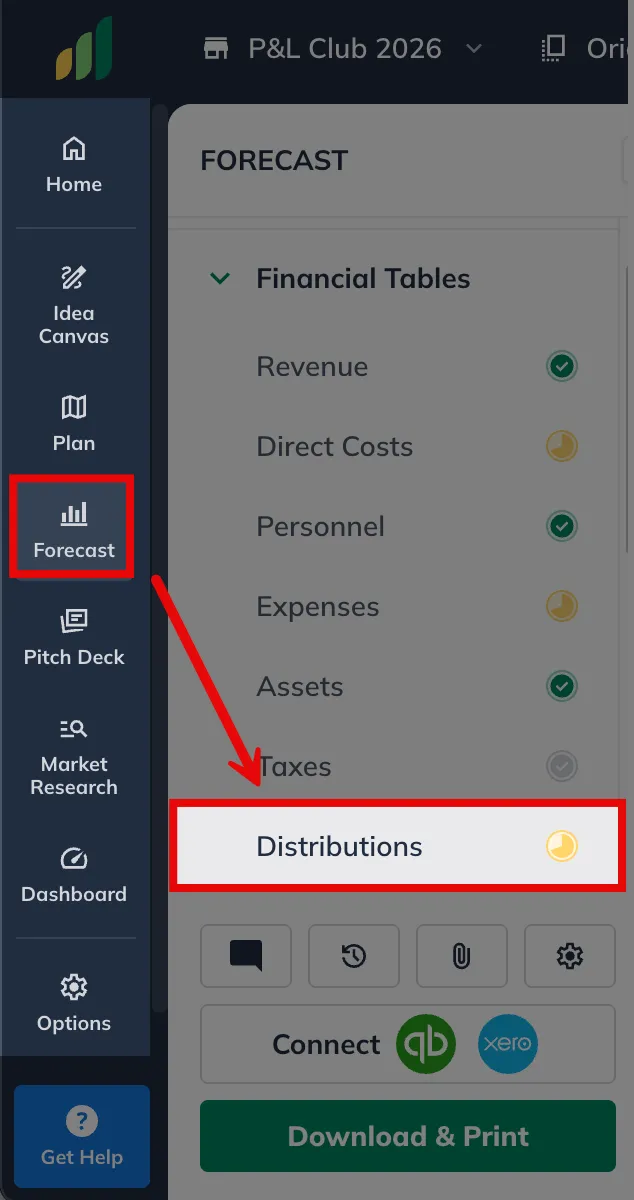
In the forecast overview, select Dividends:
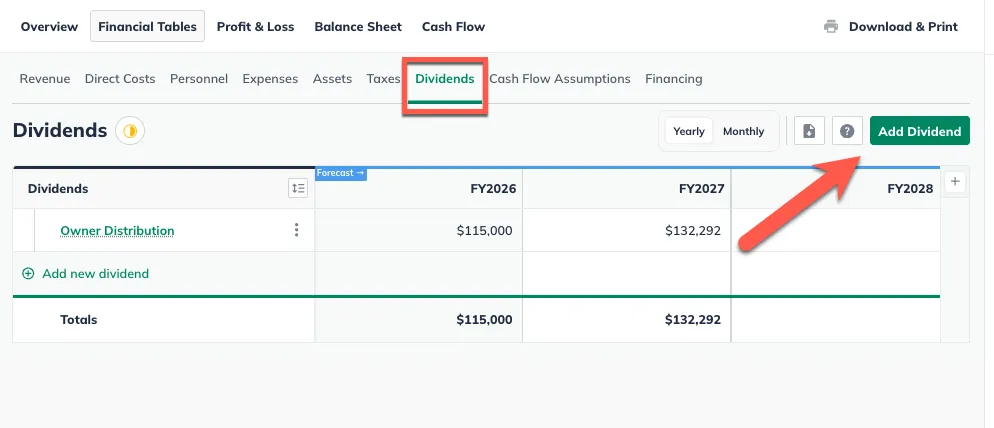
Click the Add Dividend button:
Enter a name or description for the dividend:

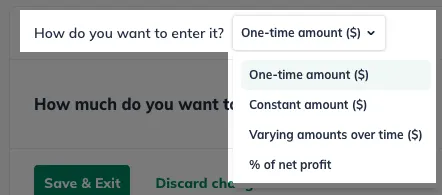
Next, indicate whether this is a one-time distribution, or happens regularly and is the same amount, or varying amounts over time:
Click Save & Exit.

Editing a dividend
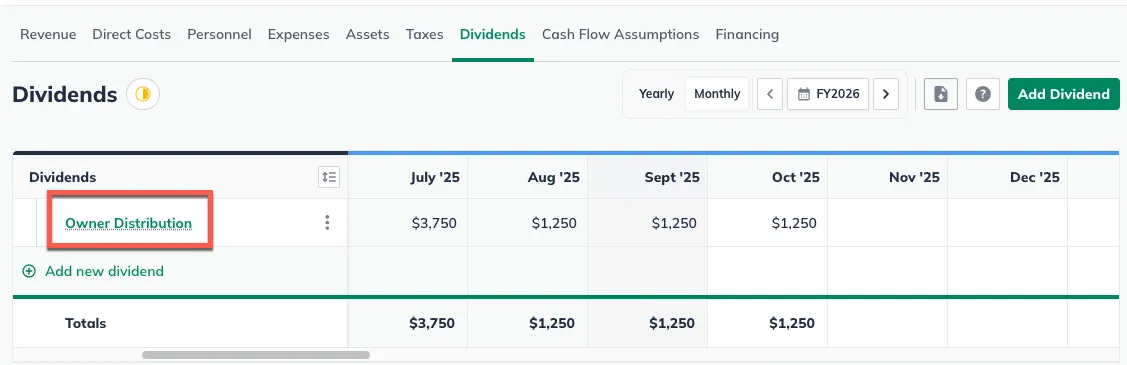
To edit an item that you have already entered in the forecast (such as a revenue stream, expense, or asset), first navigate to the Forecast Overview. Next, click on the section that contains the entry you wish to edit.
Find the table of your entries at the bottom of the page, then click on the green title of the item you want to update.
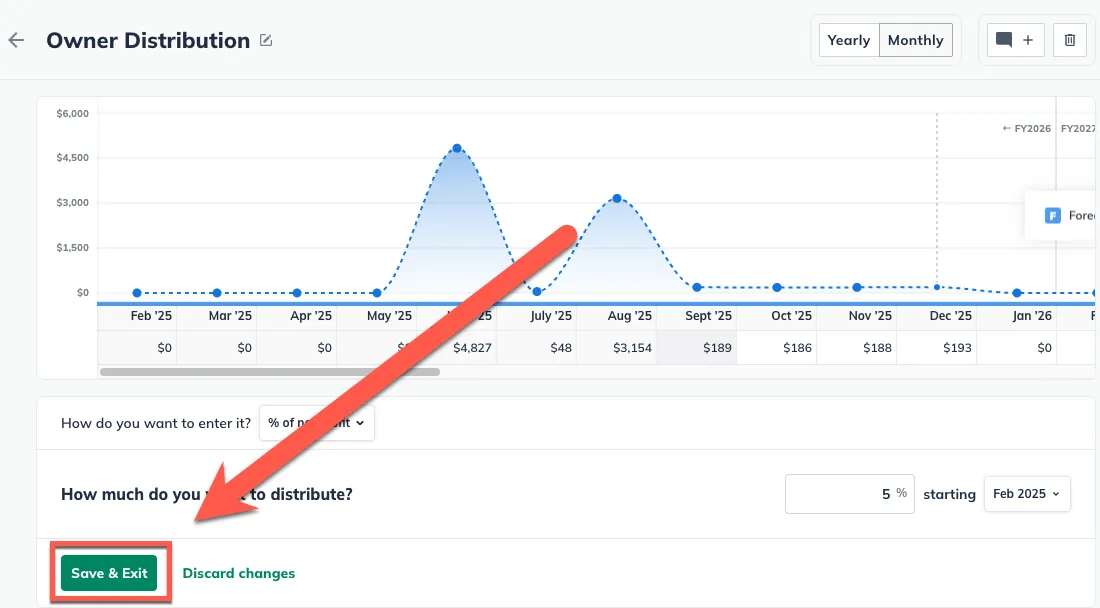
You can edit any part of your entry. Click Save & Exit when you're done:
Deleting a Dividend
Forecast items can be deleted from two different places: from the forecast table or list, or from within the editor overlay when viewing a single forecast item.
In the forecast tables:
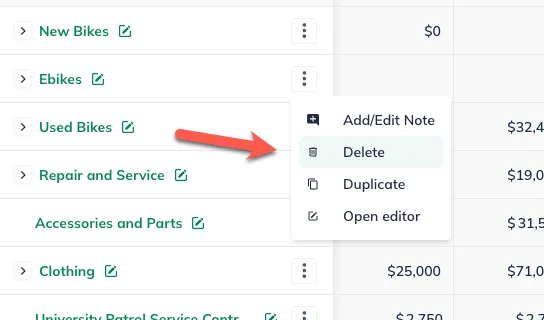
Click on the action menu (three vertical dots) to the right of the forecast item and select Delete:
In the forecast editors:
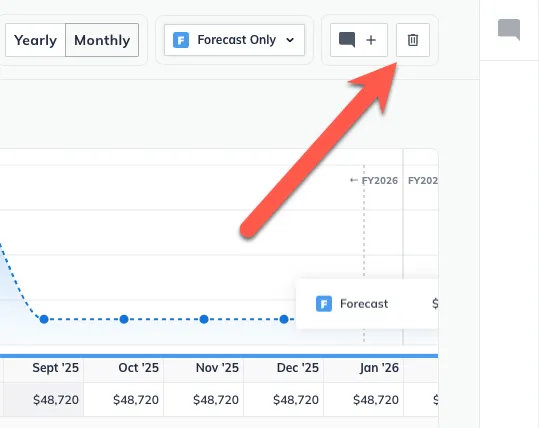
Click the More actions dropdown near the top-right of the forecast editor and select Delete:\
Using Help Me Forecast
Help Me Forecast is a guided, question-and-answer experience that helps you build a starting forecast in LivePlan.
This AI-powered tool is designed to get you to a useful starting point quickly. Reviewing and fine-tuning the results in the Forecast lets you apply your own knowledge and make sure the final numbers reflect how you expect your business to operate.
For the full walkthrough — including adding reference files, reviewing proposals, and editing entries afterward — see Using Help Me Forecast.
Where does this entry appear in the financial statements?
Dividends will not appear in the Profit and Loss table.
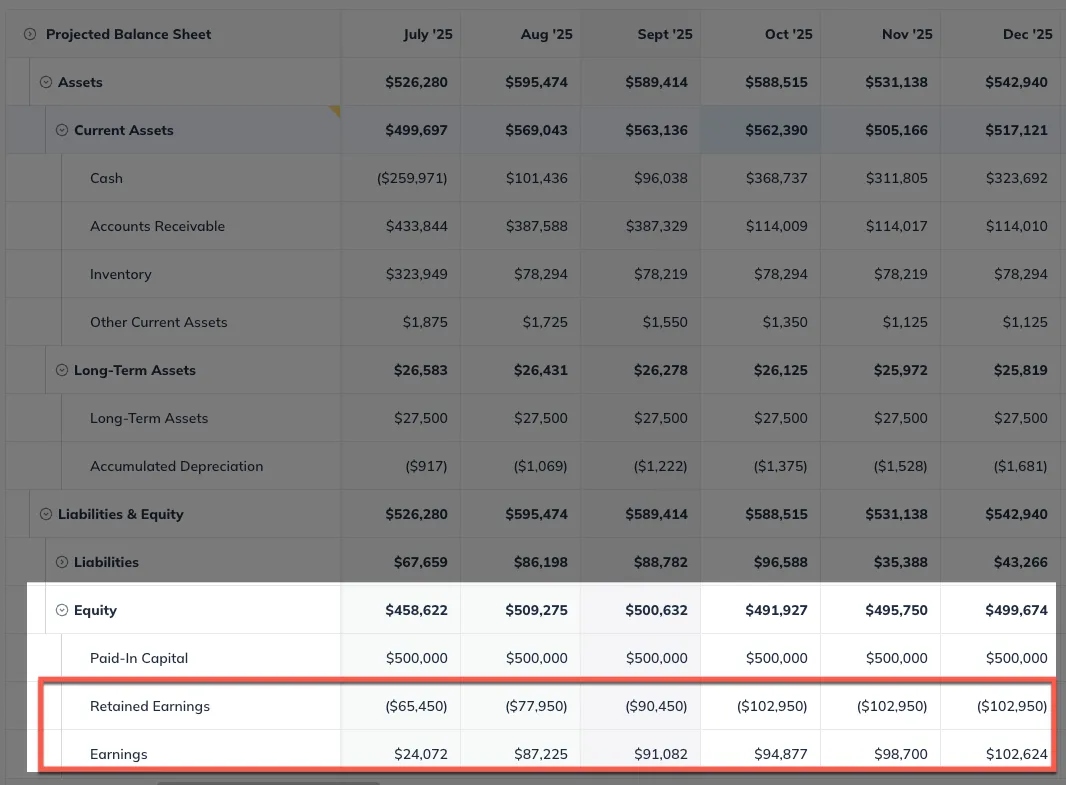
In the Balance Sheet, a dividend payment is subtracted from Earnings to calculate your Retained Earnings. Notice that this value carries forward from the month when it was paid. This doesn't mean the same dividend is being subtracted each month; it indicates that the deduction is being carried forward in calculating your monthly and annual earnings:
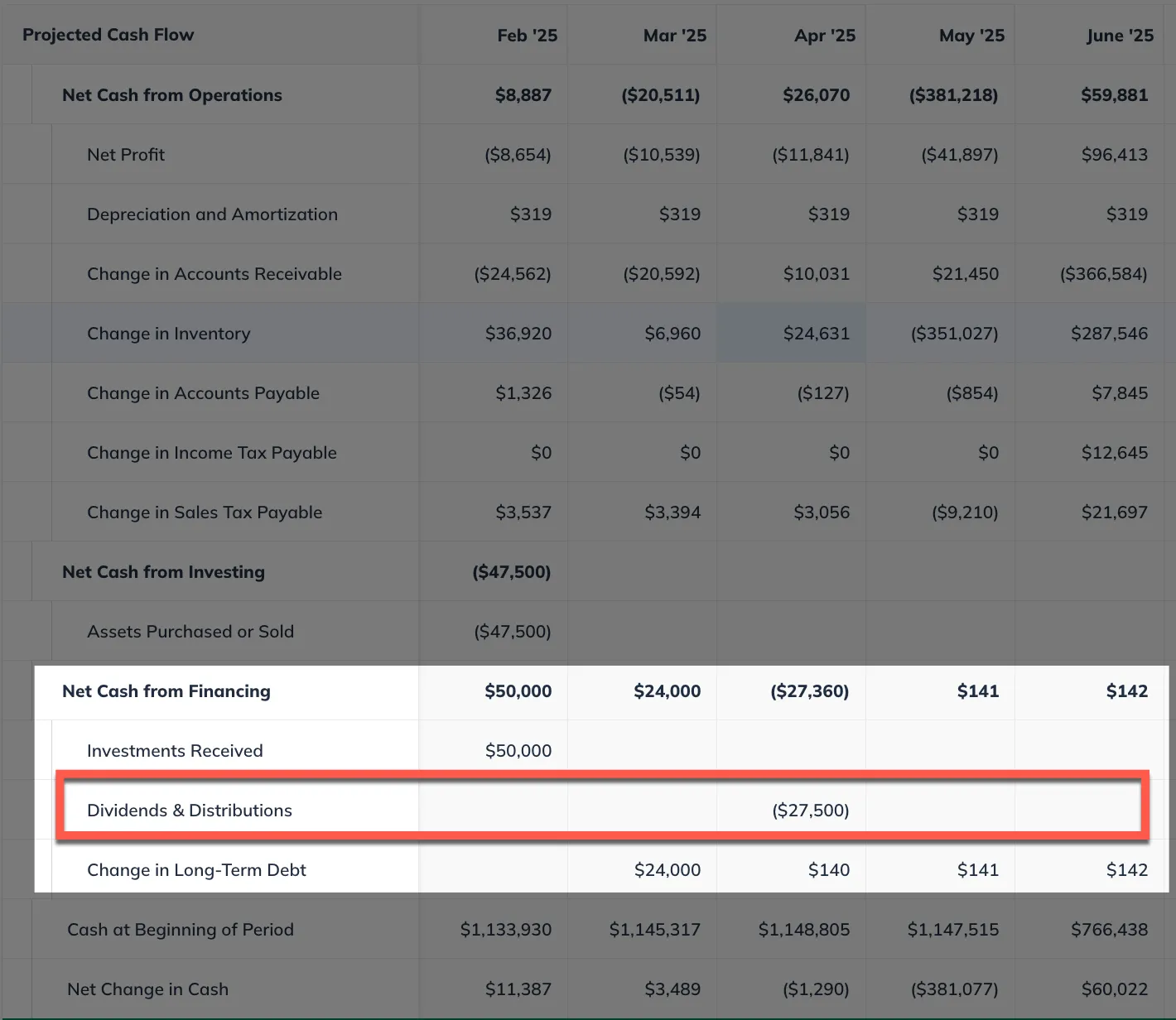
In the Cash Flow table, you'll see a reduction in net cash, as shown below. This reduction is calculated only in the month when the dividend was paid: